In this article i’m going to talk about the latest technical elements of the NASDAQ and the S&P 500. I want to perform technical analysis on the stock market today, with a view to determining whether I think it’s showing signs of recovery. Let’s take a look!
Stock market today – the NASDAQ long term picture
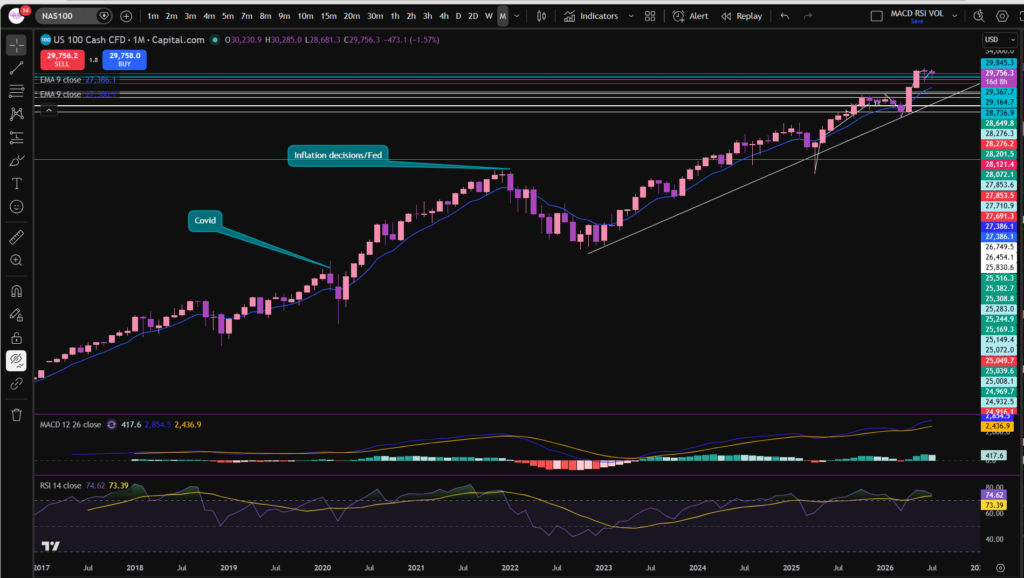
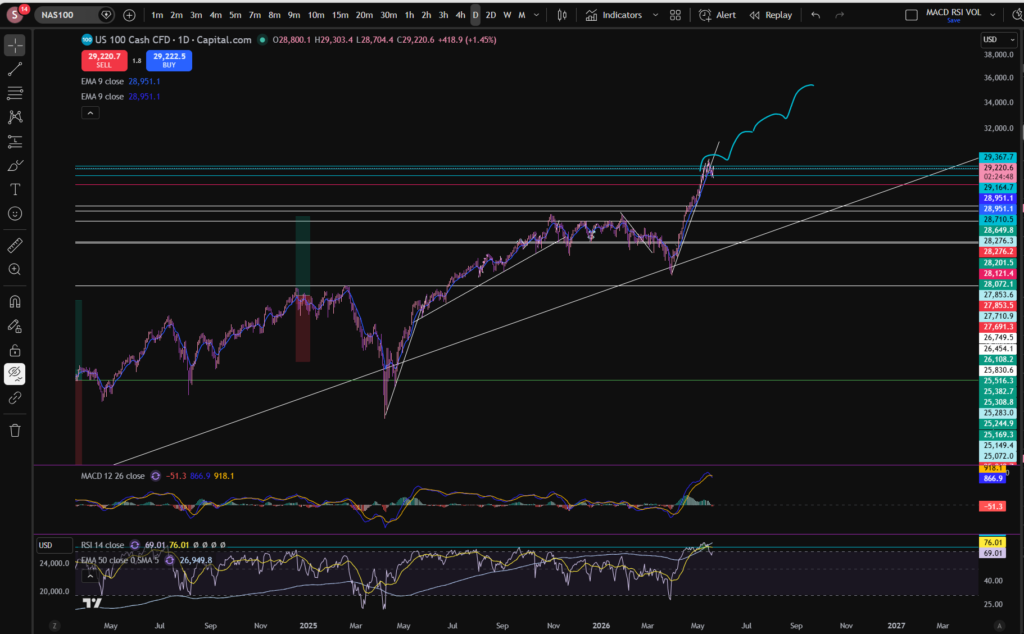
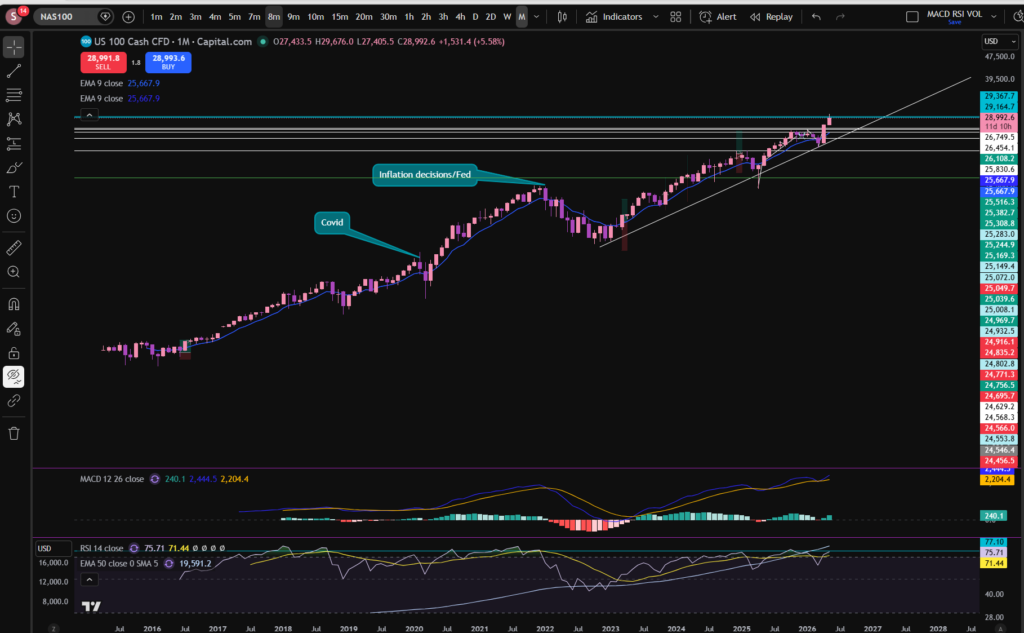
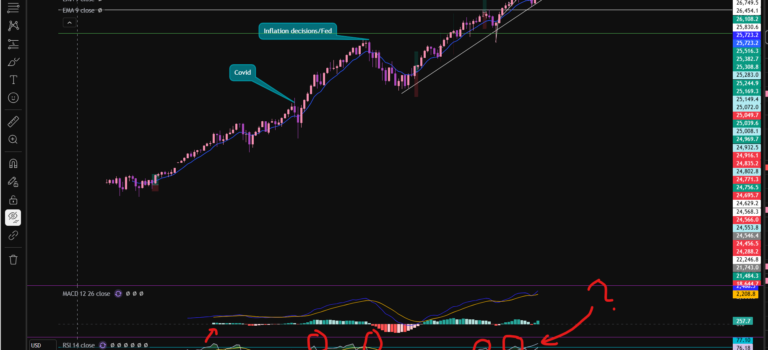
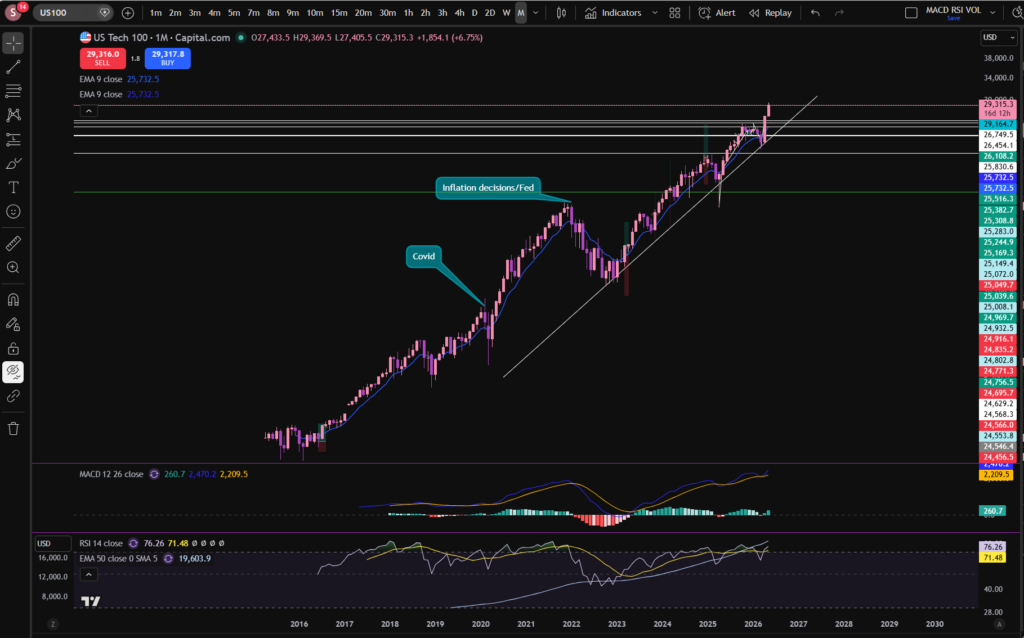
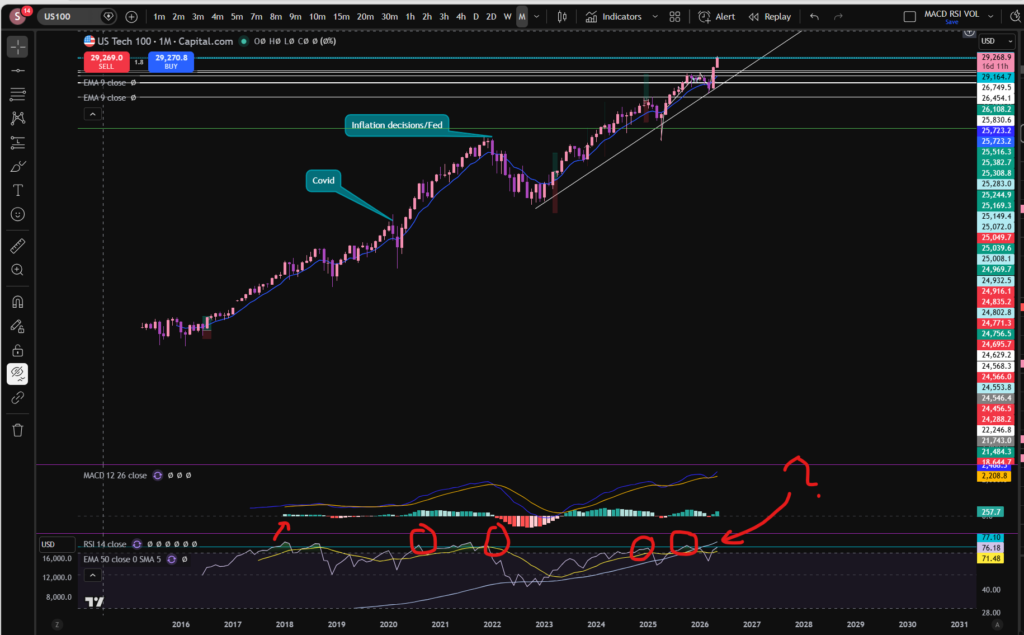
The first thing I like to do when considering the stock market today, is check the monthly timeframe chart of the NASDAQ index. Each candle on this chart shows us one month’s movement, spanning a long period of time:
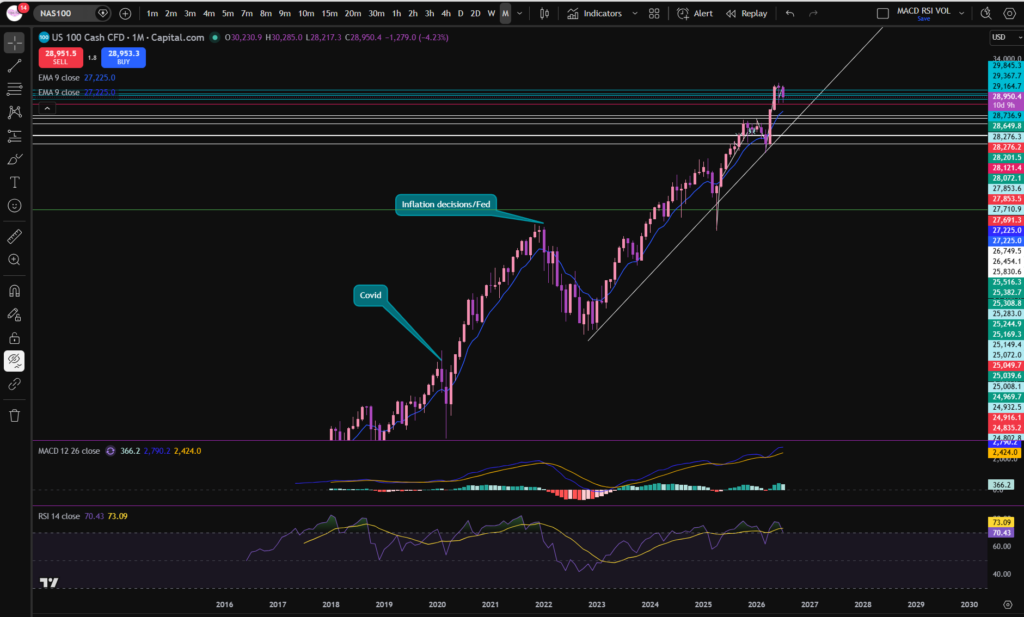
As you can see from the monthly timeframe chart, the price recently pushed away from a long term diagonal trend line. This is a great way to get a birds eye view/idea of what’s happening with the stock market today. However, you can see the market currently on a pull back and has been for the last couple of months. I’ve been waiting to see if the price will continue to pull down or start to recover by pushing up further away from the trend line. Now that we can see the bigger picture, let’s take a look from a slightly more zoomed in perspective – the daily timeframe:
Stock market today – NASDAQ daily timeframe
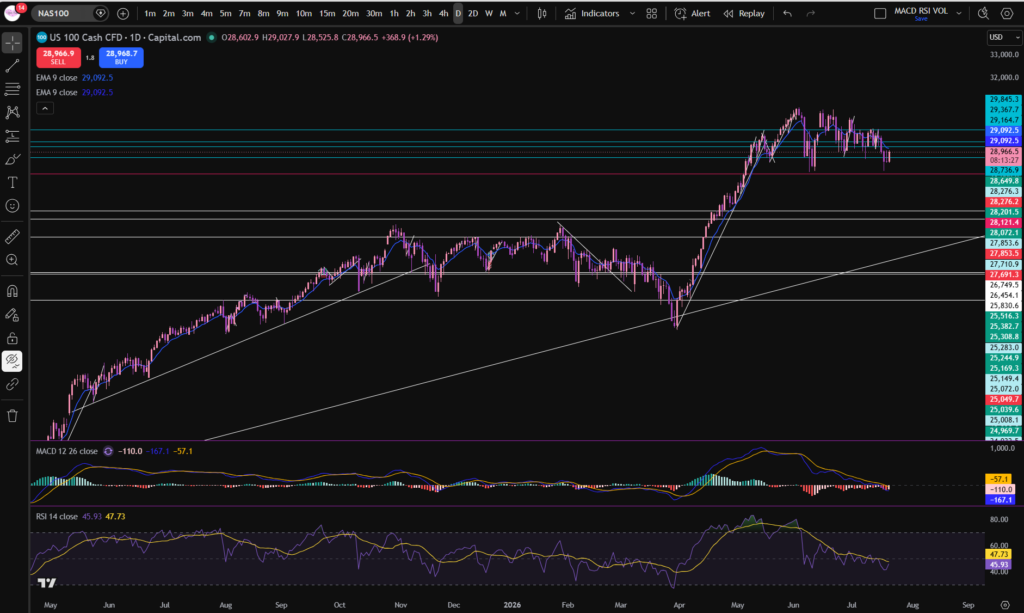
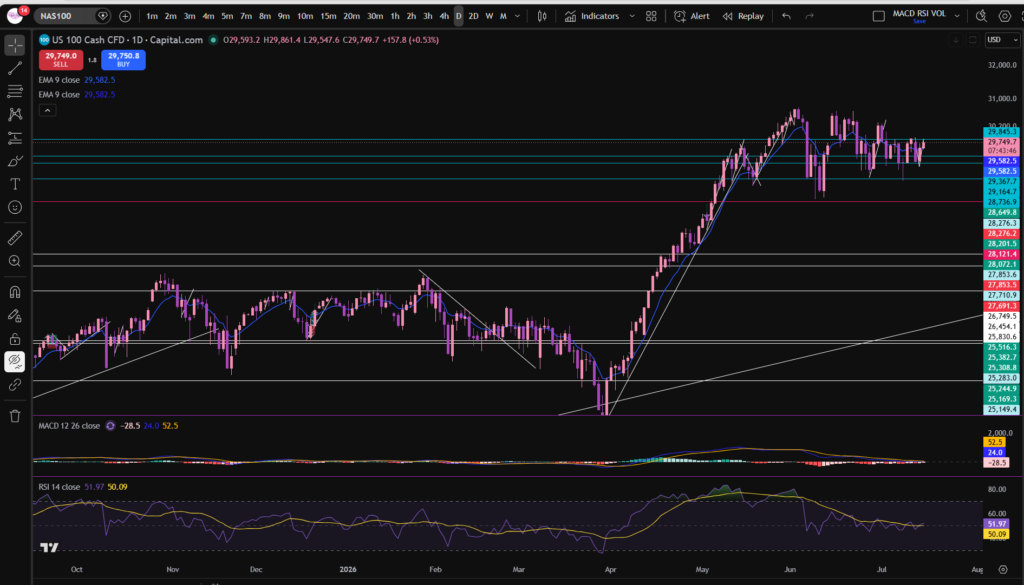
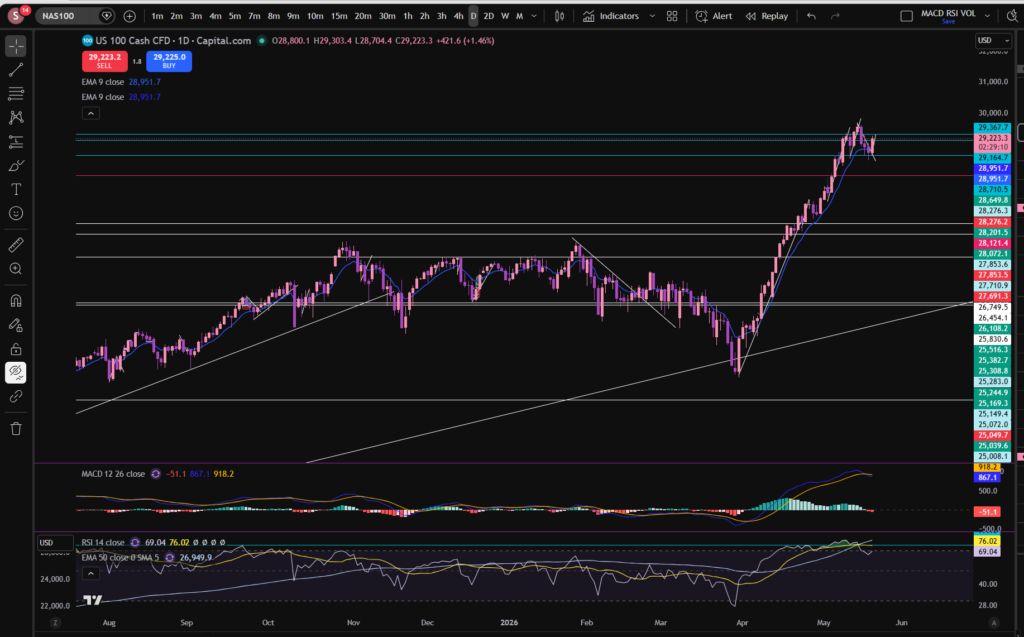
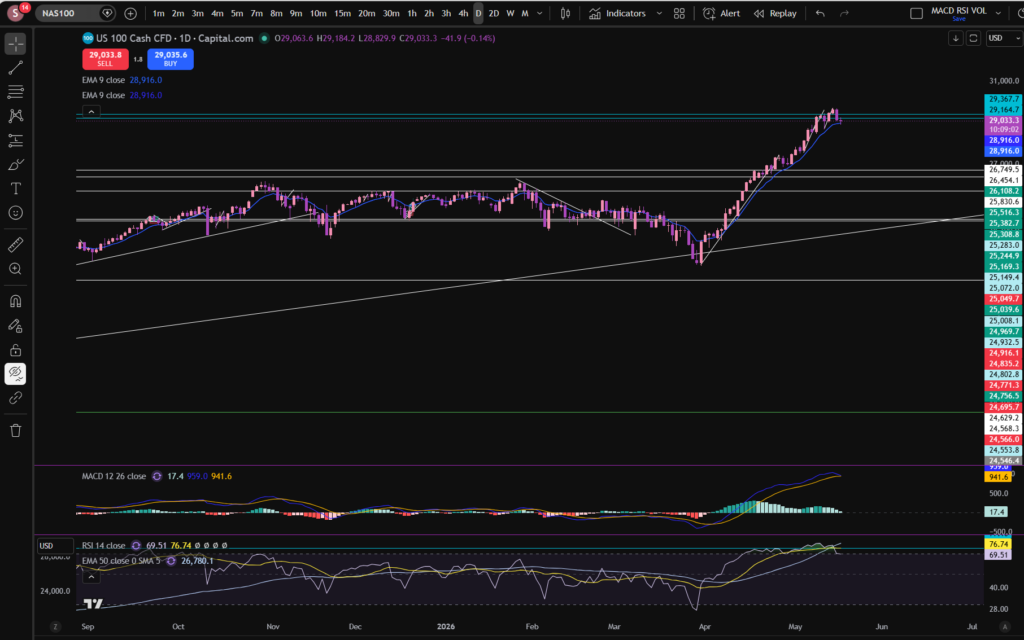
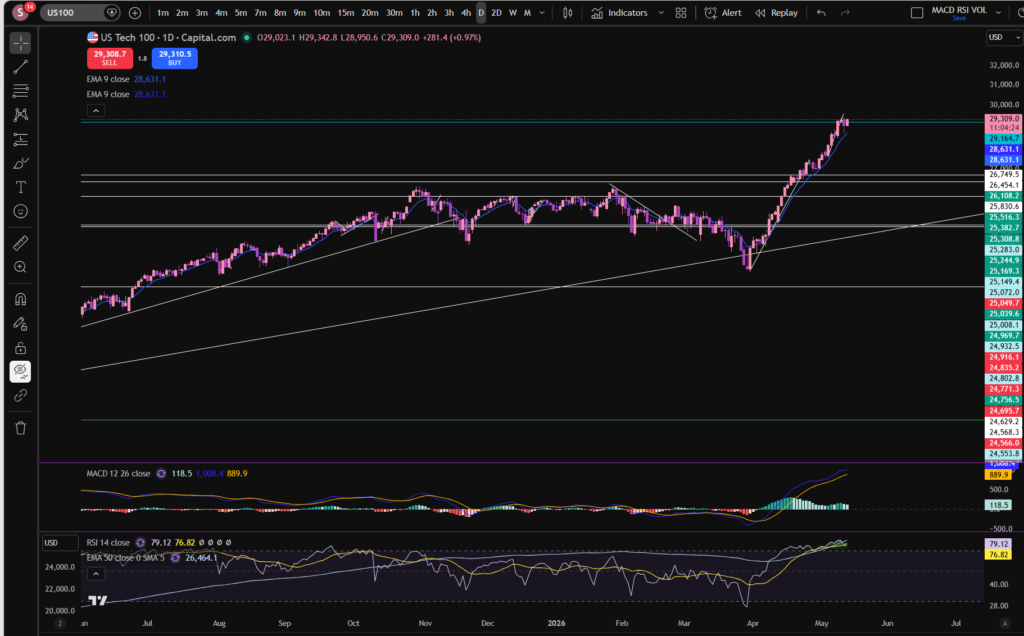
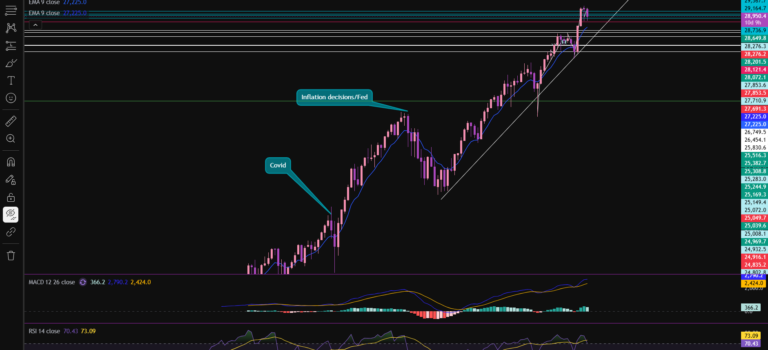
Now you can see the monthly timeframe pattern on a more zoomed in basis. As you can see, the price has been pulling back towards the trendline. It’s reached another major support level (horizontally) marked in red on the chart. It’s forming a light pink candle there – currently meaning the price is higher than where it opened – although note today is not over yet!
The MACD signal and MACD lines have moved under the histogram and they are in the ‘undervalued zone’ currently. The RSI is also very low currently. This is not a guarantee that the price will recover, but it can precede many recoveries.
Notwithstanding the position of the RSI and MACD indicators, the price has not started making higher highs and higher lows on this timeframe, yet.
Note that higher highs and higher lows on the daily timeframe must be preceded by the same pattern on lower timeframes first! So let’s take a peek at the 30 minute timeframe, to get an idea of what’s happening much closer in!
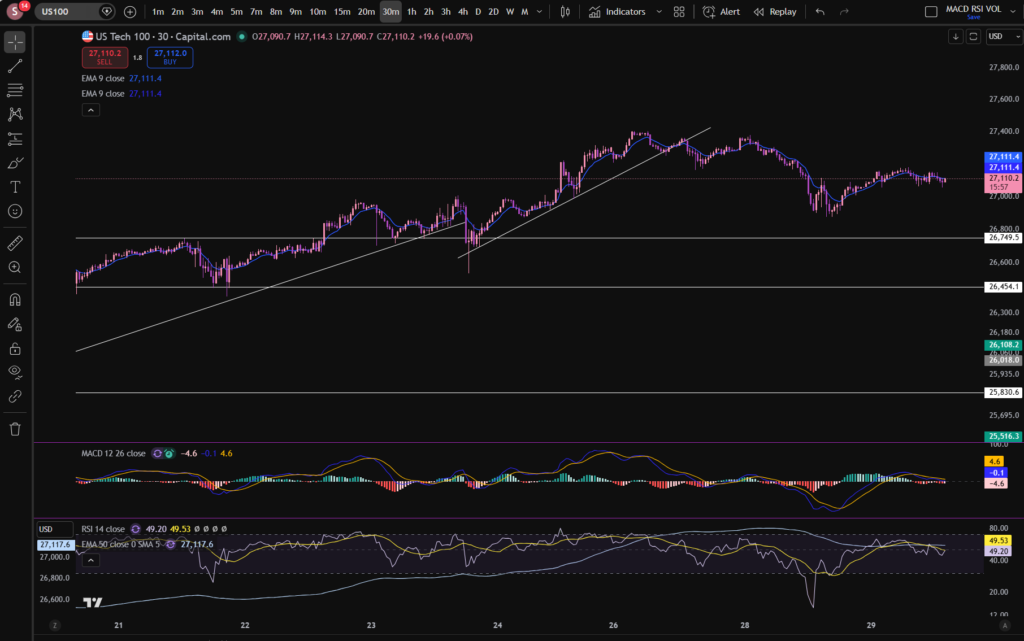
30 minute timeframe – the NASDAQ
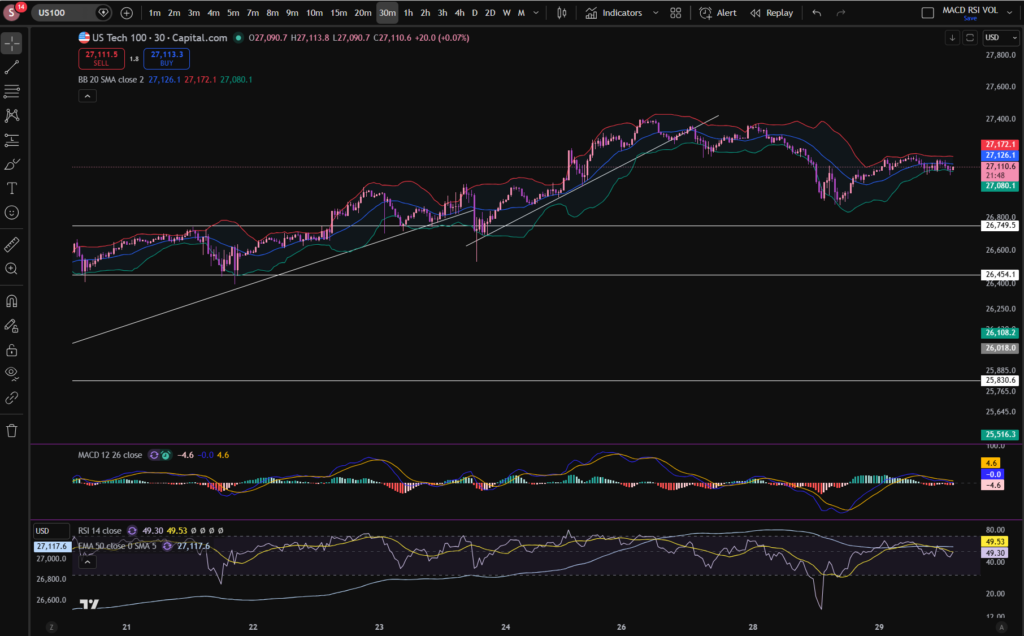
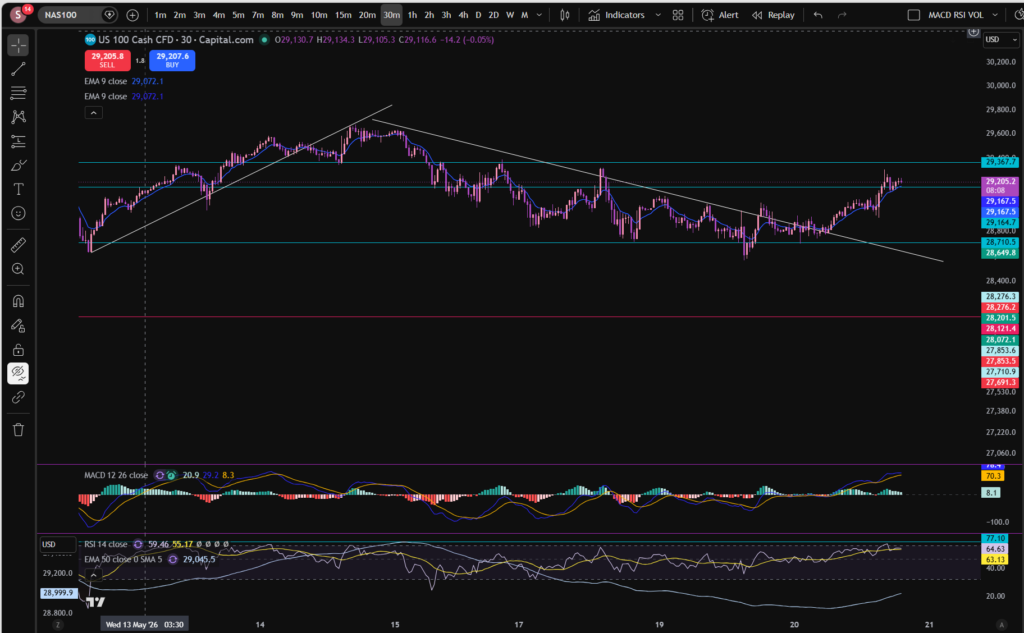
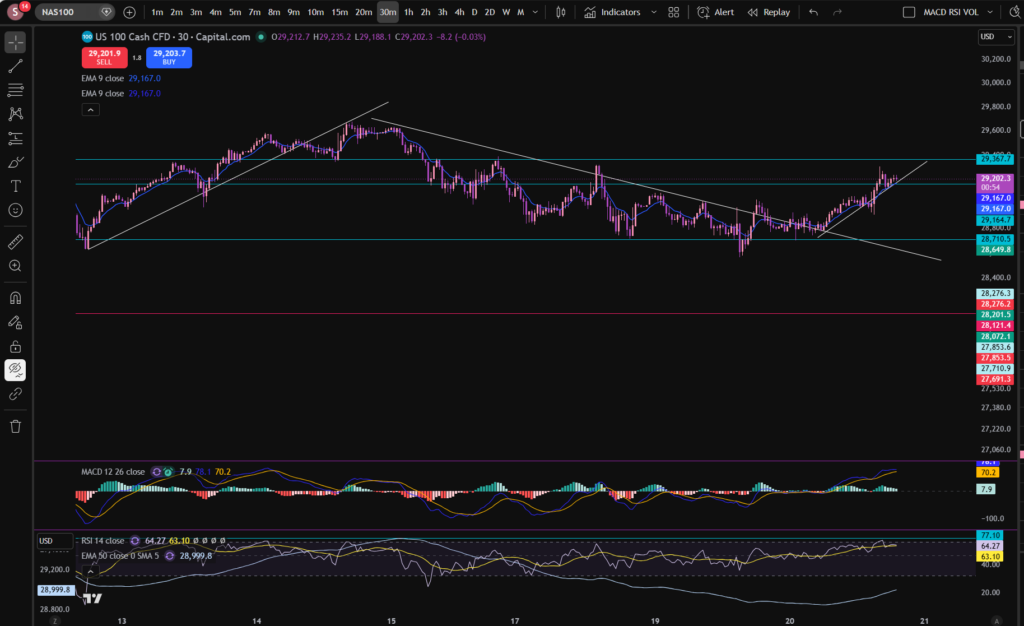
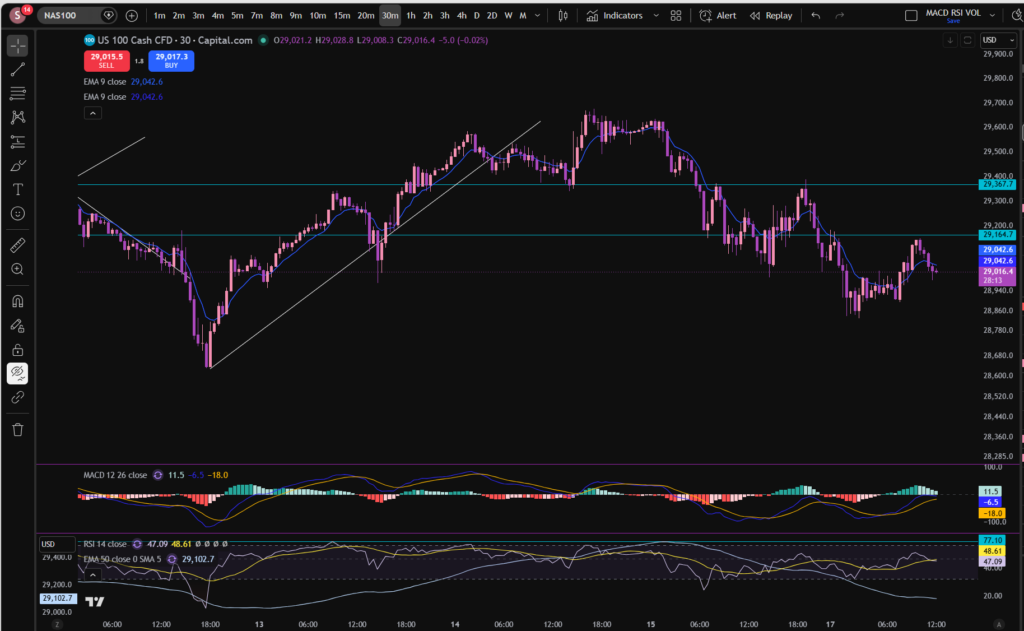
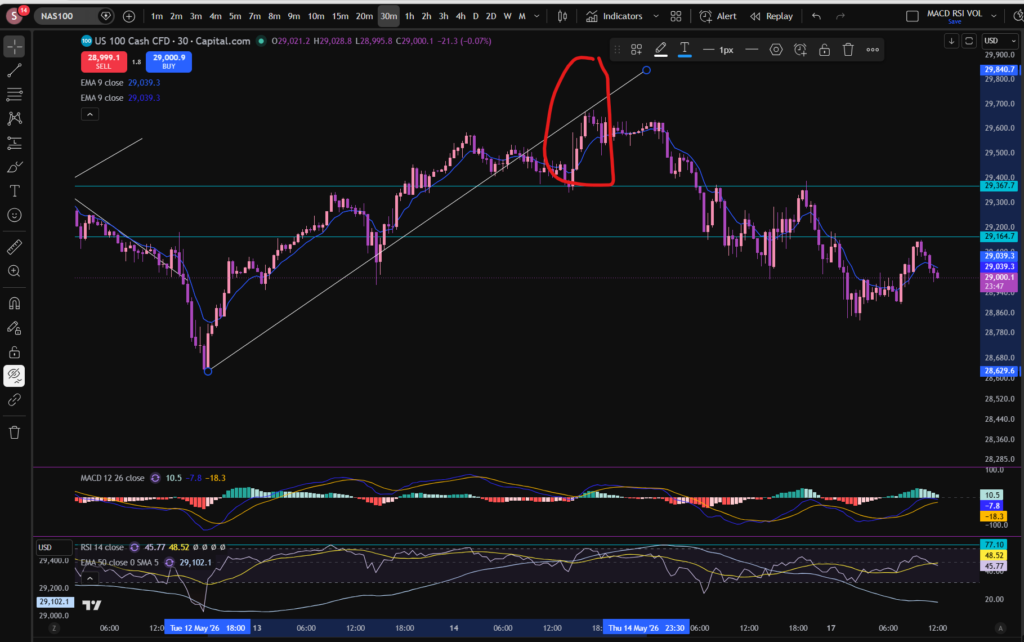
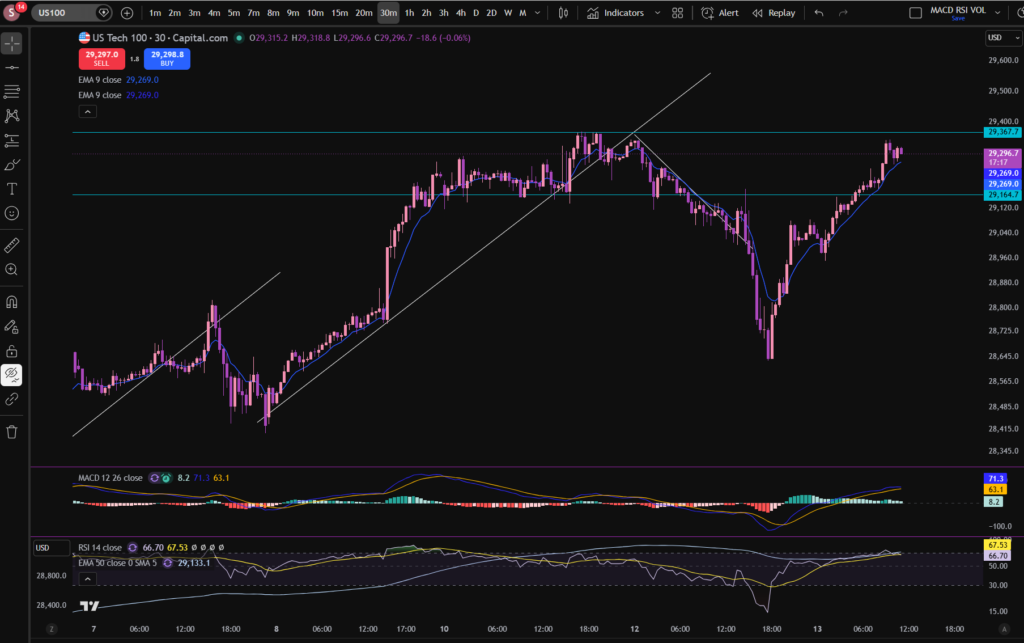
Now you can see the bounce from the horizontal red support line more closely:
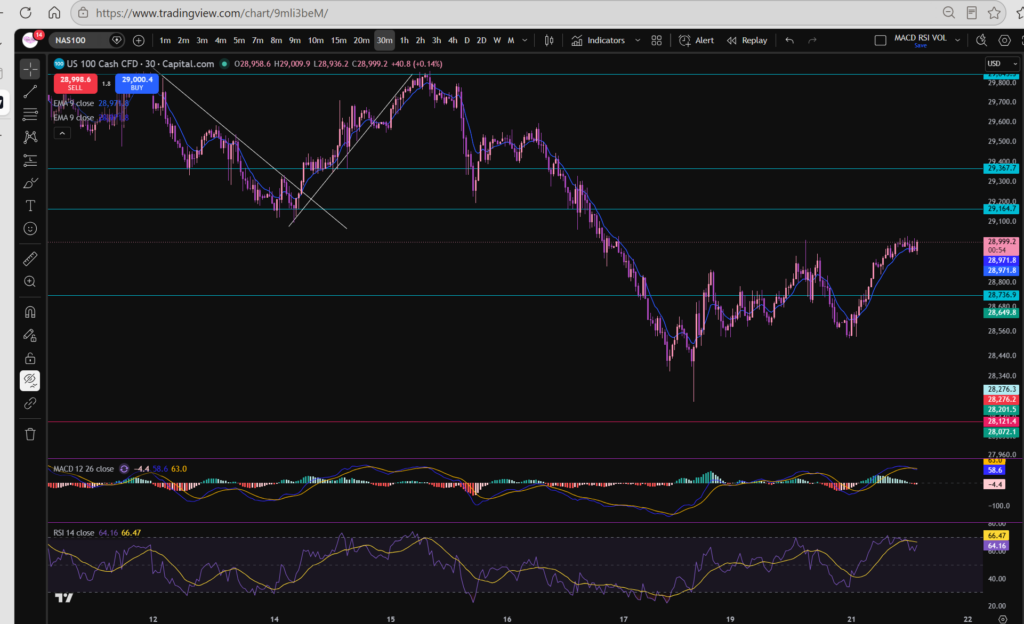
The candle stick pattern noted here is a hammer – with a very long tail. This means the sellers were in control pushing the price down to the support level but the buyers stepped in and pushed the price back up, confirming that the support line is still very much valid.
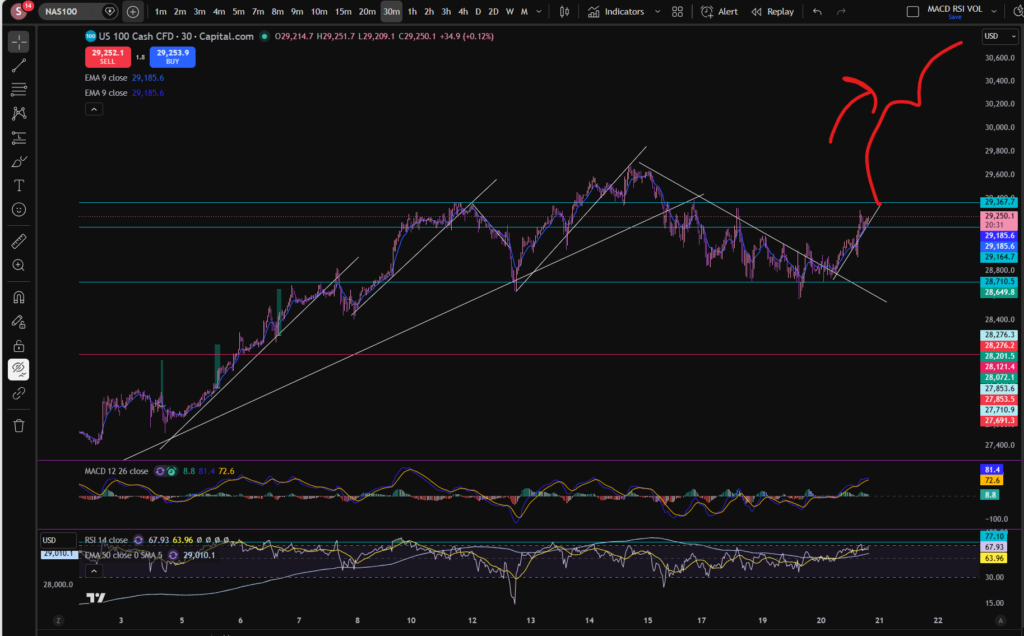
In terms of what sort of trend the market is in on the 30 minute timeframe, I tend to follow the ebbs and flows of the MACD indicator to tell me where the highs and lows are. This is not how all trades analyse the markets, but this works for me – so i’m happy to share, but obviously you have no obligation to adopt my approach! Let’s break this down carefully, because it looks very choppy!
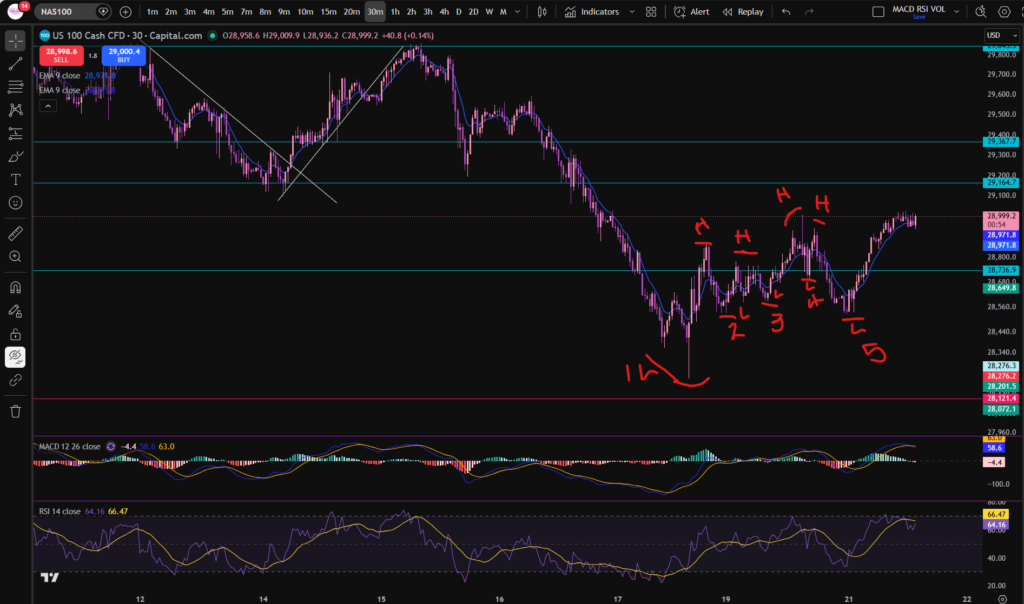
Let’s talk through what’s happening here. The market made it’s very low, low, at the horizontal support. It then made low 2 in a higher position. Low 3 was higher and low 4 was higher. However, take a look at what’s happened to low 5… it’s now lower than the previous one. This to me indicates that the market is not yet sure of where it wants to go.
Similarly look at the highs. The highs were progressing but the one being made currently is still at the same level of the previous ones. Is it now going sideways at this level? This remains to be seen. Sideways often precedes a change in direction! It’s not a guarantee that the market will go back down.
My conclusion at the moment is that the market is not clear. I’m not seeing consistent higher highs and higher lows in the movements noted above. So what now? My position is that I will wait…
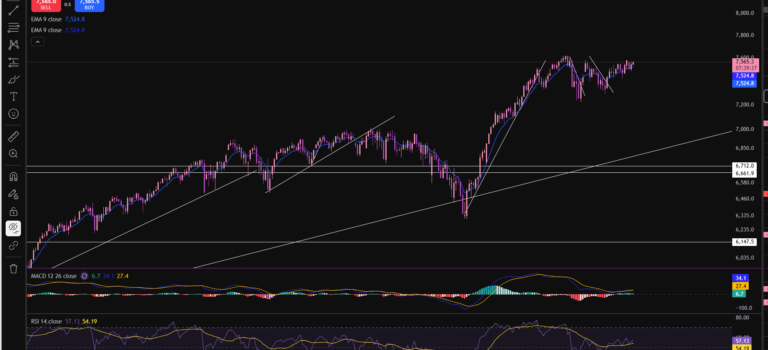
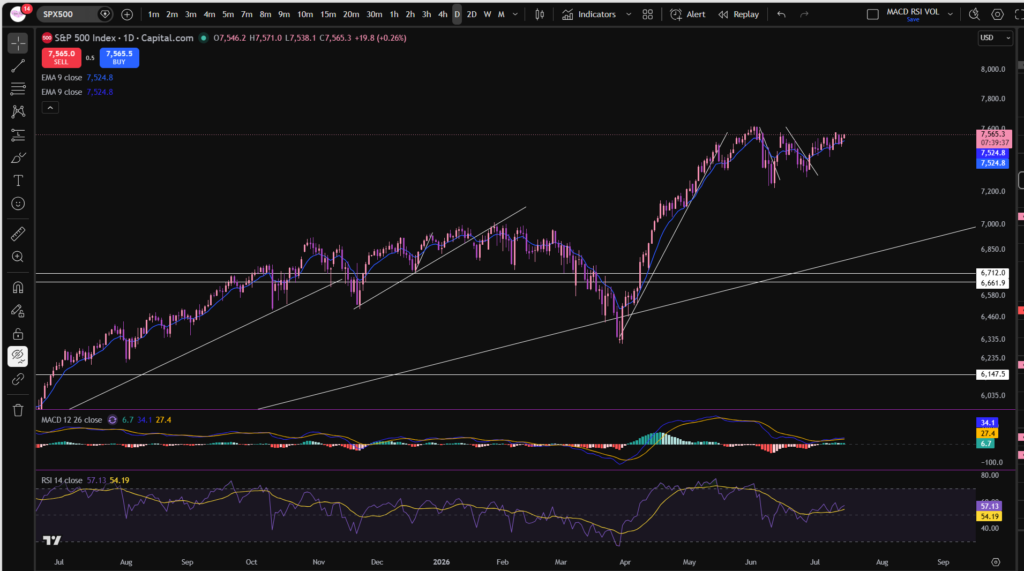
Since the NASDAQ has a massive impact on the other stocks on the market including the other ones listed on the S&P 500, I have not considered that here. It is very much likely to be forming the same sort of patterns noted here but less stark/softened by the other stocks included there.
You may also find my blog articles on stock market news helpful, which i’m linking below:
Fundamental Analysis – Sophia Trades – Learn how to Trade the Stock Market
I hope you found this article on the ‘stock market today’ helpful!
Let’s generate wealth independently, together!

Socials:
You Tube:
https://www.youtube.com/channel/UC__AuhOClF8FRudbmT05OKQ
Patreon:
https://www.patreon.com/sophiatrades
To watch me trade live and understand exactly how I make money using my own unique strategy in full, please visit my Patreon page here:
https://www.patreon.com/sophiatrades
Disclaimer!
Nothing on this blog should be taken as financial advice or encouragement for you to enter a trade. You are expected to speak to a financial adviser or carry out your own due diligence before entering any positions. Everything on this blog is made for educational purposes and to equip you with the knowledge you need to be able to make your own financial decisions. I am not regulated by the Financial Conduct Authority.
For more great tips and advice on trading the stock market, please visit:
https://www.sophiatrades.co.uk
Finally, if you would like to receive a discount on the Trading View charting software I use, please click on the relevant link here:
https://www.tradingview.com/?aff_id=117138
Please note any subscriptions taken via my affiliate link with Trading View may result in me earning a small commission. However, I provide complete transparency on me using Trading View personally – I publish my success on the financial markets via my broker reports and any profits earned were done so by using my own Trading View subscription, so I genuinely do recommend them and have been using the Trading View charts for many years.