In this article i’m going to talk about my experience of using Trading View as the best trading platform. I have been with this trading platform for a number of years and use the platform to execute all my entries, control my stop losses and analyse the markets. I will outline below the pros and cons of Trading View and my overall verdict on using the platform. I hope you find the article useful.
Best Trading Platform – What is Trading View?
Trading View is a platform which enables you to look at several different types of stock, commodity and other types of charts online. In terms of trading platforms, I have chosen to use and review Trading View as THE BEST trading platform. It can be logged into on the internet from anywhere, via a computer or a tablet or phone. Several different trading brokers are signed up to partner with Trading View meaning you are also able to see your open positions on the platform and move your stop loss if required on the charts.
The platform is fully customisable. It can be viewed in dark or light mode, the colours for the indicators are changable. You can arrange the components on the screen according to your preference, in a very flexible way.
Trading View customisation
The platform can be changed from light to dark mode. Here are some screen shots of how this might look for you by changing these settings:
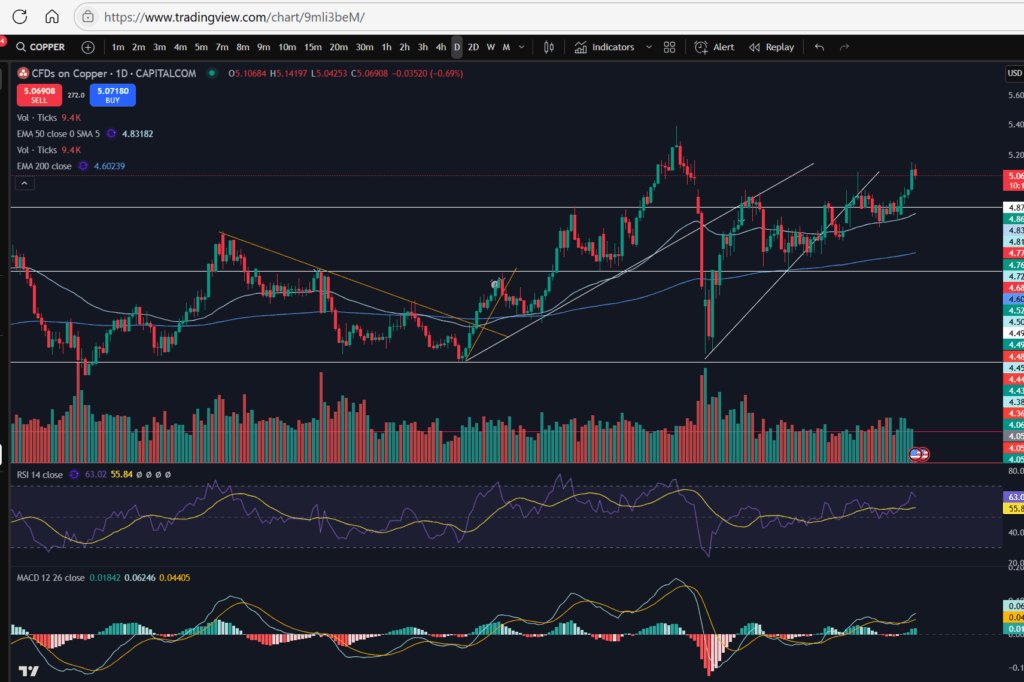
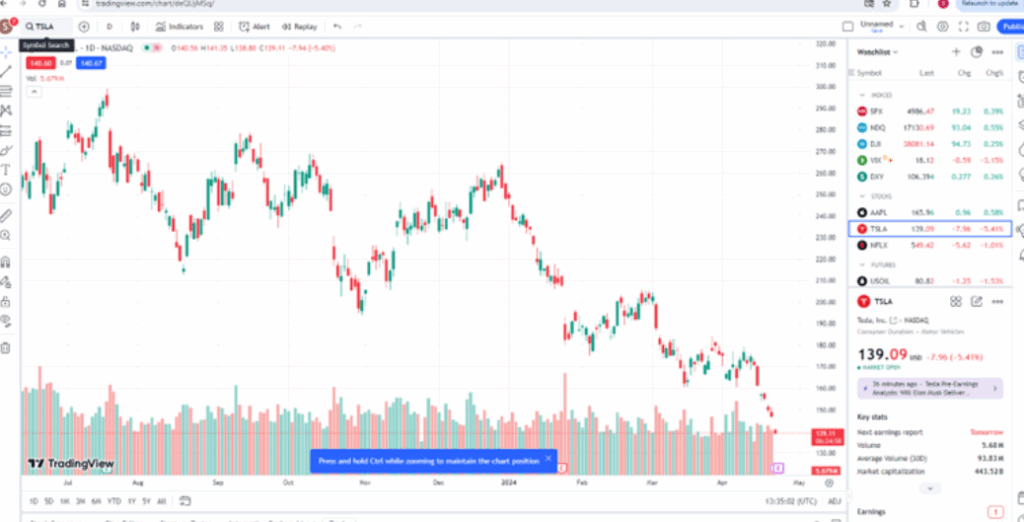
The moving average indicators can be changed in length and colour. The technical indicators can be repositioned vertically on the chart and swapped around. The platform has just about every type of indicator you can think of available for use. It has everything available to the user that anyone could expect in terms of a best trading platform.
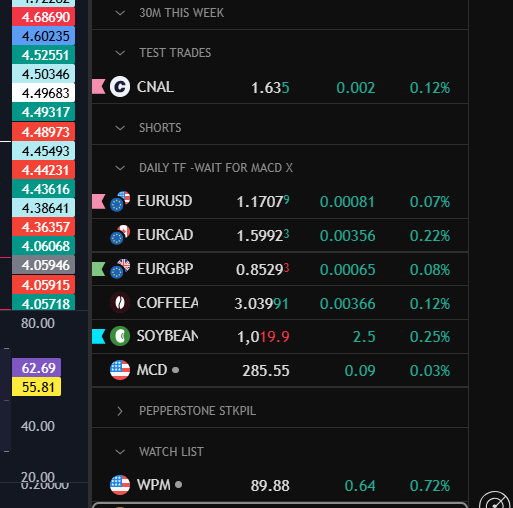
What I absolutely love about Trading View is the ease of use of its watch list. You can add a lot of markets to your watch lists, separate them with customisable headings, give them different coloured flags. The number of things you can do to customise your watchlist in Trading View is endless and I do personally find this feature extremely useful. I’ve copied a snippet below from my own watchlist – these markets are marked as ones in respect of which I am waiting on a MACD cross over. I’ve applied different coloured flags for added filtering/analysis:
As well as the view of the charts being fully customisable and the indicators, you can also customise the alerts – for example, by setting the platform to email you when your chosen situation occurs on the chart. You can choose the type of alert – whether it alerts you once each time the situation happens, or it continues to. Example – should it tell you only once that the MACD and Signal lines have crossed each other? Or once per minute? Or once per bar close? What form should the alert take? Should it play a sound, email you? Should the alert expire after one day, one week?
Trading View – options for connecting a broker account
There are multiple options with Trading View for connecting a broker account. I have several accounts and they are all connected to Trading View. You can easily switch between them on the chart. I find this extremely useful. Most reputable trading brokers are available in a list for connecting, and their review status is given to you so you can see the better performing ones, if you would like to sign up to a new broker.
Best Trading Platform – Using the platform in a practical sense
I have been finding the platform really easy to use and personally, would never move away from using Trading View. It is extremely intuitive. For example, if you want to move your stop loss as a position moves into profit, you can just grab it on the screen and move it with your mouse or phone. You can right click on the chart and find the option you need for most situations.
When you want to add more items to your Trading View watchlist, you can go into the Trading View drive and filter markets based on your own broker.
Trading View – Best Trading Platform – Final Verdict
I absolutely love Trading View. I will never move away from using it. You can see from my You Tube channel and blog articles that I’ve been using it for a number of years for all of my own trading positions and I have found it an invaluable resource in my trading journey.
For more great tips and advice on trading the stock market, please visit:
To watch me trade live please visit my patreon page here:
https://www.patreon.com/Traderpro8320
Finally, if you would like to receive a discount on the Trading View charting software I use, please click on the relevant link here:
https://www.tradingview.com/?aff_id=117138
Please note any subscriptions taken via my affiliate link with Trading View may result in me earning a small commission. However, I provide complete transparency on me using Trading View personally – I publish my success on the financial markets via my broker reports and any profits earned were done so by using my own Trading View subscription, so I genuinely do recommend them and have been using the Trading View charts for many years.